
What Does Executive Functioning Mean?
Executive functioning includes the skills we use to plan, organize, begin tasks, remember steps, manage time, and adjust when plans change. When these skills become difficult, everyday tasks can feel harder. Someone may forget what comes next, lose track of appointments, repeat questions, or need frequent reminders.
Planning the day
Starting a task
Remembering steps
Managing time
Staying organized
Adjusting to changes
Executive Functioning Challenges Can Show Up in Daily Life
Common examples include:
- Forgetting appointments
- Missing medication times
- Struggling to begin a routine
- Asking the same question repeatedly
- Losing track of the day or time
- Feeling overwhelmed by several instructions
- Forgetting what comes next
- Depending on frequent phone calls or notes

A Clear Visual Guide for the Day
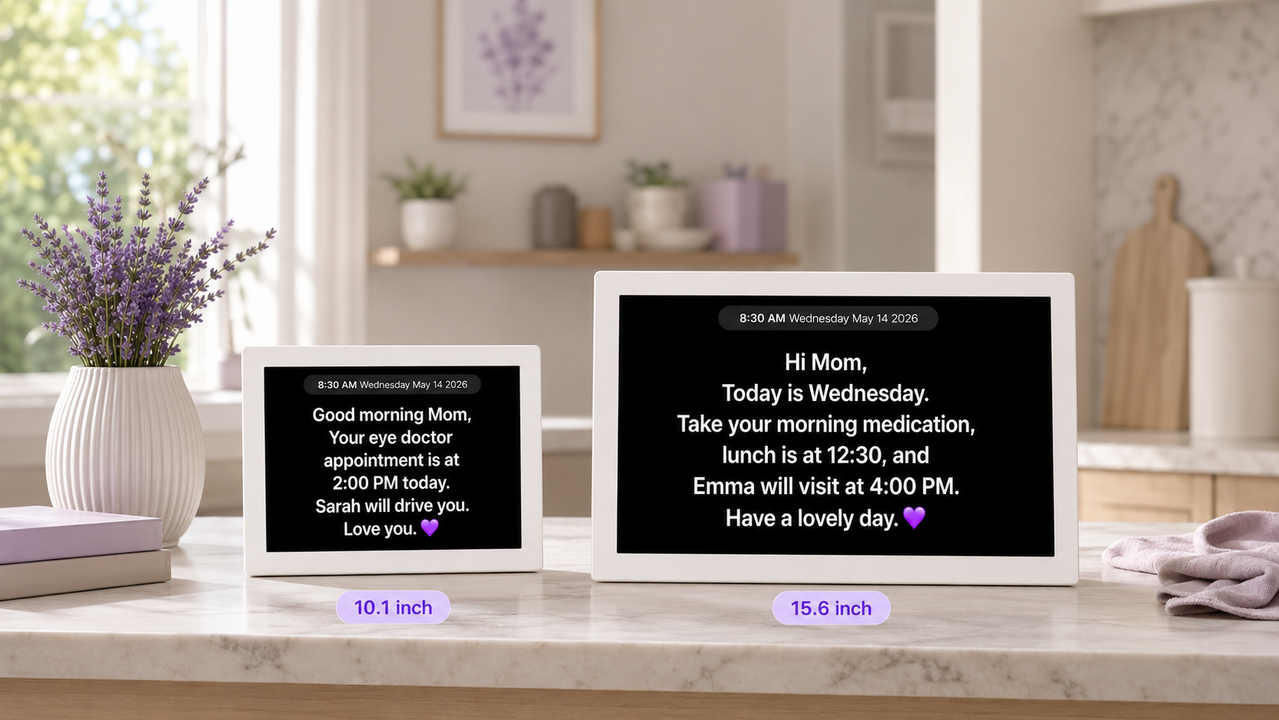
Memoryboard gives your loved one one consistent place to see important information. Family members can update the board remotely, and the information appears on the display without the person needing to open an app, tap a screen, or learn new technology.
Daily Routines
Share a simple morning, afternoon, or evening schedule.
Appointment Reminders
Display upcoming doctor visits, activities, and family plans.
Step-by-Step Support
Break larger tasks into short, easy-to-follow steps.
Familiar Photos and Messages
Add family photos and encouraging messages to make reminders feel personal.
From Repeated Reminders to One Clear Place
Before Memoryboard
- Repeated phone calls
- Notes placed around the home
- Missed appointments
- Confusion about the day
- Caregiver stress
With Memoryboard
- One visible daily plan
- Remote updates from family
- Simple reminders
- Familiar photos
- More consistent routines
What Can You Put on Memoryboard?
Good morning, Mom. Today is Tuesday, July 21.
- Take morning medication
- Lunch with Susan at 12:30
- Physical therapy at 3:00
Today's plan:
- Shower
- Get dressed
- Eat breakfast
- Call David
Dad, your doctor appointment is tomorrow at 10:00 a.m. Jennifer will pick you up at 9:30.
You are home. Everything is okay. We will call you after dinner.
Nothing to Tap, Swipe, or Figure Out
The Memoryboard display stays on and shows the latest information sent by approved family members or caregivers.
1
Set up the Memoryboard display.
2
Invite family members to the Care Circle.
3
Send photos, messages, reminders, and schedules from anywhere.
Support Their Routine Without Constant Check-In Calls
Help reduce repeated questions
Keep important information visible
Support daily independence
Stay connected from anywhere
Memoryboard does not replace personal care or medical support. It gives families another practical way to provide structure, reassurance, and connection throughout the day.
A Simple Change Can Make a Meaningful Difference
“At first, a plain text checklist did not catch my husband's attention. Then I added family photos, pictures of our dogs, today's date, and a few simple reminders. The pictures drew his attention, and he began noticing the daily information too.”
Memoryboard customer and family caregiver


