
Add to Cart
Send appointment reminders from anywhere • No subscription required
10,000+
Families Supported Daily
We don’t have to constantly repeat ourselves. If she can’t get in touch with us or we are too busy to talk, we simply tell her to check her board for our work schedules and anything we have planned for her or the family. Easy set up. Highly recommend!!!
Lauren H.
Trusted by caregivers around the world
No monthly subscription fees
Free automatic updates
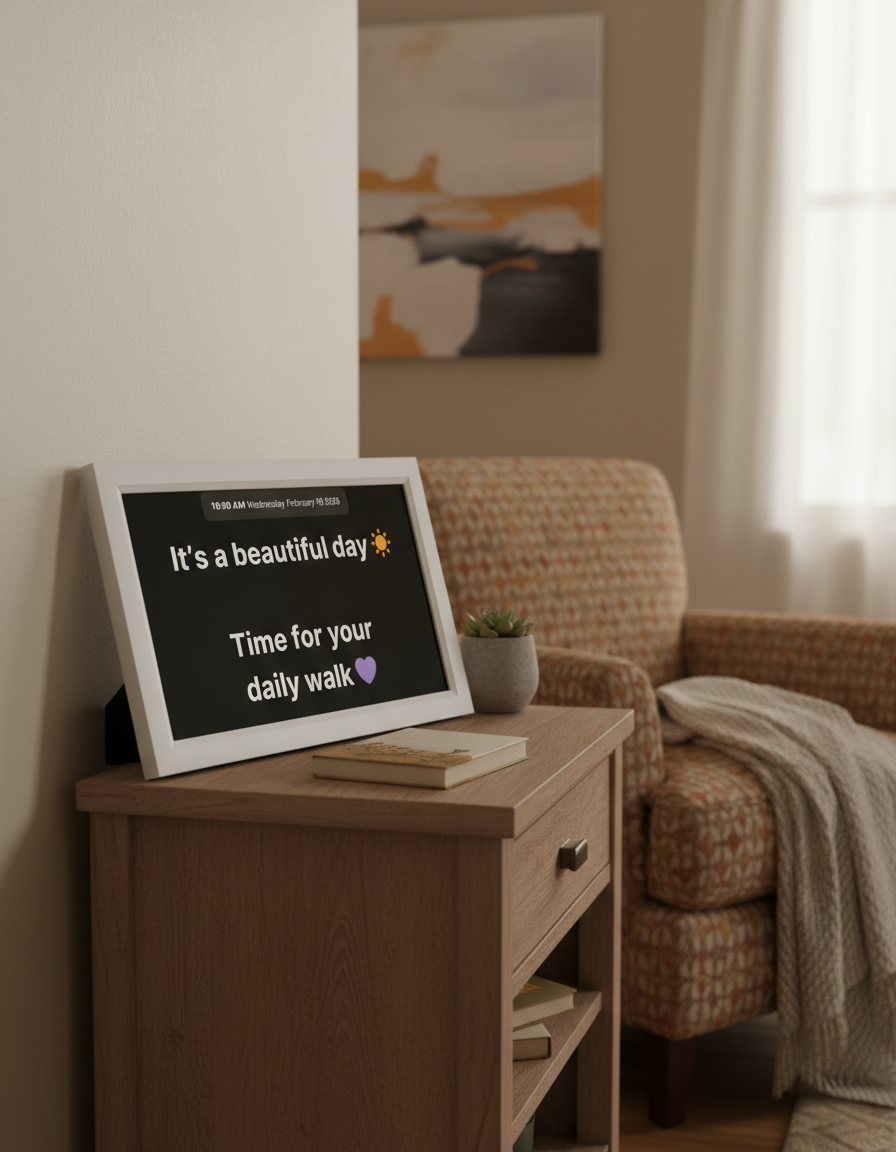
Everything They Need to Remember Each Day
Help your loved one stay oriented with the day, date, and a simple message about what is happening today.
Post visit times, call times, appointments, and family plans so they can check the board instead of calling again.
Show meals, walks, medications, TV shows, chores, or daily routines in a calm, easy-to-read way.
Send reassuring notes from family members so your loved one feels connected, even when no one is there in person.
No. You update Memoryboard from your phone, and messages appear automatically on the screen.
Trusted by Families to Manage Daily Reminders
Send Appointment Reminders from Anywhere
Use it for doctor visits, medication reminders, lunch plans, family messages, and daily routines.
Large, easy-to-read messages
Clear, high-contrast text helps your loved one see the answer from across the room — whether it is the day, a visit time, or what is happening next.
One simple answer at a time
Memoryboard keeps the message clear and uncluttered, so your loved one is not overwhelmed by apps, menus, alerts, or tiny text.
No new technology for them
You update Memoryboard from your phone. The message appears automatically on their screen, with no buttons to press, apps to open, or logins to remember.

Why Memoryboard Works Best for Reminders
Most devices for seniors are built for entertainment or general use.
Memoryboard is built specifically for memory care
Choose Memoryboard
Memoryboard
Other Devices for Seniors
Purpose-built for dementia and memory care support
Designed specifically for dementia and cognitive decline.
Memoryboard
Other Devices
Caregiver-Controlled from Anywhere
Update reminders, messages, and photos instantly using a simple app.
Memoryboard
Other Devices
Fully Passive for Your Loved One
No tapping or navigating menus — everything appears automatically.
Memoryboard
Other Devices
Reminders + Photos in One Clear Display
Daily structure and emotional connection on an easy-to-read screen.
Memoryboard
Other Devices
No Subscriptions or Hidden Fees
Buy once and use it forever.
No monthly fees.
Memoryboard
Other Devices
Setup in Under 5 Minutes
Plug in, connect to WiFi, download the app — and you're done.
Memoryboard
Other Devices
Choose the Size That Makes Answers Easiest to See
Both sizes help your loved one see the answers they ask for most — the day, the schedule, visit times, and reassuring notes.
Choose the 15.6” if larger text and across-the-room visibility would be helpful.
Shop Memoryboard
See Remote Reminders in Action
Questions? We're Here to Help
Choosing support for a loved one with memory loss is a big decision — especially when repetitive questions are becoming part of daily life.
Here are answers to the questions families often ask before getting started with Memoryboard.




Talk to Our Care Team
Yes. Memoryboard gives your loved one a clear place to look for the answers they ask for most — like what day it is, what is happening next, when someone is coming over, or what they should do now.
It may not stop every question, but many families use Memoryboard to make those answers easier to see and return to throughout the day.
No. Your loved one does not need to open an app, press buttons, check notifications, or remember a password.
You update Memoryboard from your phone, and the message appears automatically on their screen.
Families often use Memoryboard to answer questions like:
“What day is it?”
“When are you coming over?”
“What am I doing today?”
“Did I take my medicine?”
“What time is my appointment?”
“Where is everyone?”
You can post daily schedules, visit times, meal reminders, medication reminders, appointments, photos, and reassuring notes.
Yes. You can invite family members, friends, or caregivers to your loved one’s Care Circle so multiple people can send messages, reminders, and photos from their own phones.
This helps share the responsibility, instead of everything falling on one person.
Yes. You can create messages and schedule them to appear at certain times or on certain days.
For example, you could schedule a morning message with the day’s plan, an afternoon medication reminder, or a weekly note before a regular appointment.
No. There is no monthly subscription required to use Memoryboard.
Setup is simple. Plug in the Memoryboard, connect it to Wi-Fi, and use the Memoryboard app to start sending messages, reminders, and photos.
Your loved one does not need to do anything once it is set up.
A SIMPLE WAY TO BRING MORE CALM
More Calm Around Appointments and Daily Routines
Memoryboard helps your loved one stay confident and connected every day.
Thousands of families trust Memoryboard to bring clarity to daily routines — and peace of mind to the people who care for them.
From doctor visits to daily routines, Memoryboard helps your loved one see what matters without needing to check a phone.

It’s brought so much calm to our daily routine. My mother feels secure knowing her reminders are always there.
Patricia H.
Verified Purchase


