
Caregiver Guide
What Can I Send to a Memoryboard? 40 Helpful Ideas for Staying Connected
Many families want to send something to their loved one's Memoryboard, then freeze up — unsure of exactly what to write. Take a breath: your message doesn't need to be long or perfect. A short reminder, a family photo, or a simple check-in is often all it takes to help someone feel informed, supported, and genuinely connected.
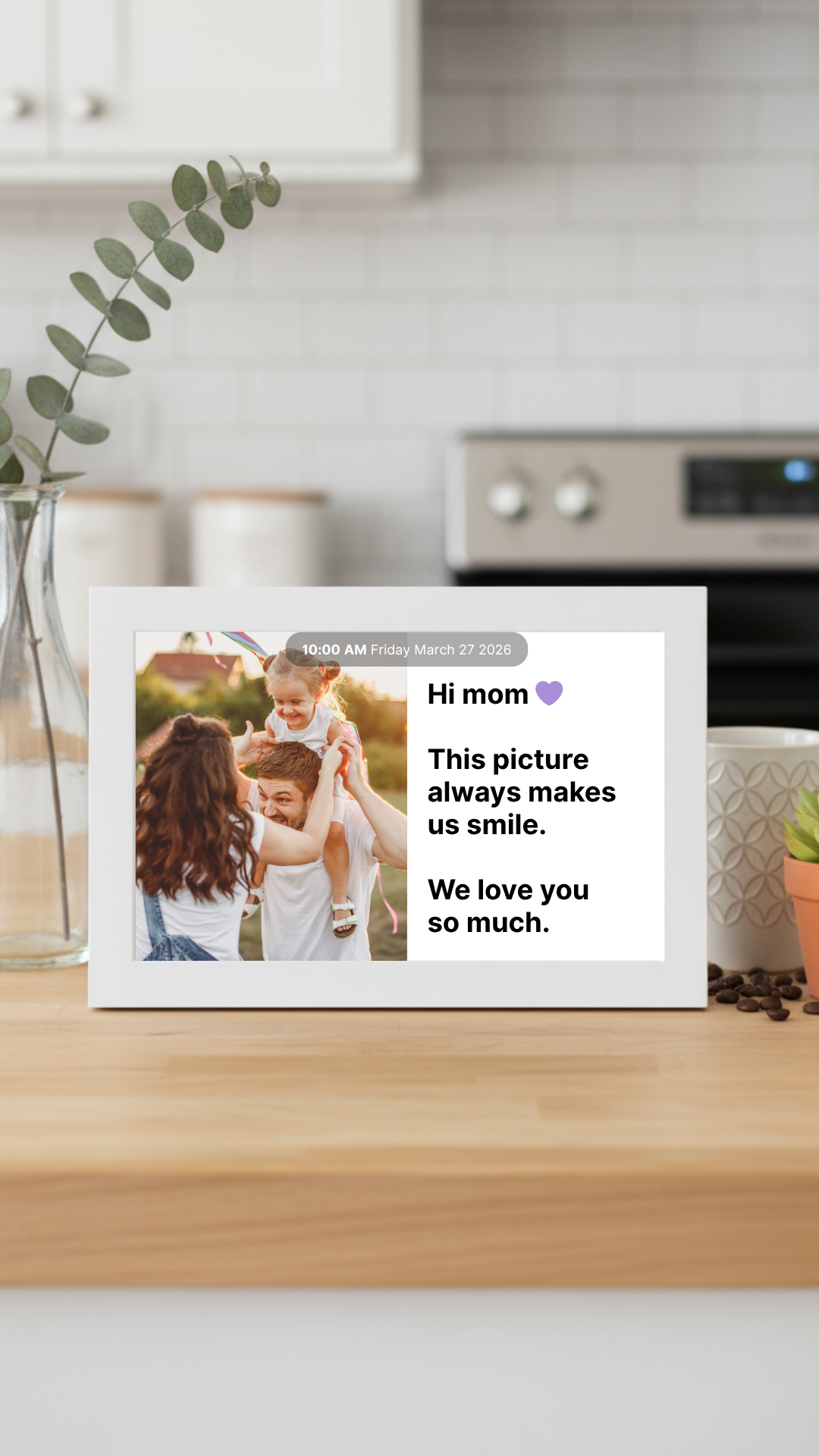
Here's how it works: family members use the Memoryboard app to remotely send photos, messages, reminders, appointments, and daily updates. These appear on a large, easy-to-read screen in your loved one's home — and the person viewing it never needs a phone, tablet, or app of their own.

Tips for Writing a Helpful Memoryboard Message
Not sure what to write? These simple tips make any message clearer and more comforting.
Keep messages short and direct
Use familiar names instead of only saying "he" or "she"
Include the day and time when helpful
Use calm and positive wording
Avoid giving too many instructions in one message
Break a longer task into separate reminders
Add a photo when it gives the message more context
Repeat important reminders when needed
Write messages in the same way you would speak to your loved one
Do not use language that sounds demanding or childish
Instead of / Try
Instead of
"Don't forget your appointment."
Try
"Your dentist appointment is today at 2:00 PM. Sarah will pick you up at 1:30 PM."
Appointment and Calendar Reminders
Memoryboard makes it easy to keep track of doctor's appointments, family visits, transportation, and scheduled activities. With gentle, timely reminders sent straight to the screen, families never have to worry that a loved one missed something important — just a little more clarity for them, and peace of mind for you.
Example
"Your doctor's appointment is today at 10:30 AM. David will pick you up at 10:00 AM."
Example
"You have a haircut tomorrow at 2:00 PM."
Example
"Maria is visiting you today after lunch."
Example
"The community music program starts at 3:00 PM in the activity room."
Example
"Your physical therapy appointment is Friday at 11:00 AM."
Example
"Church service begins Sunday at 9:00 AM."
Example
"The shuttle will arrive at 1:30 PM for your appointment."
Example
"Dinner with the family is Saturday at 5:00 PM."
Daily Routine Reminders
Simple, familiar reminders can help a loved one feel steady throughout the day. Memoryboard gently supports their daily routine — from morning to bedtime — with warm messages that reassure and guide, so the day feels a little more predictable and a lot more comforting.
"Good morning, Mom. Breakfast is ready in the kitchen."
"Please drink a glass of water with lunch."
"It is time to get ready for bed."
"Your clean clothes are in the top drawer."
"Please bring your glasses with you."
"Your walking group starts at 9:00 AM."
"Today is laundry day."
"Please charge your hearing aids before bed."
"Your lunch is in the refrigerator."
"Remember to bring your sweater. It may be cold outside."
A note on medications: Memoryboard is not a substitute for medical guidance. For medication reminders, please follow the instructions provided by your loved one's healthcare provider.
Family Check-In Messages
Not every message needs to be a reminder. Sometimes the most meaningful notes simply let a loved one know that someone is thinking of them. For aging parents navigating memory challenges, these small moments of connection matter just as much as any schedule — a warm word can brighten the whole day.
"Good morning, Dad. I hope you have a great day. I love you."
"Hi, Mom. I am thinking about you today."
"We made it home safely. I will call you tonight."
"I hope you enjoyed lunch. I will visit tomorrow."
"You are loved very much."
"The kids say hello and miss you."
"I am at work, but I am thinking about you."
"Have a peaceful evening. I love you."
"I will see you on Sunday."
"Thank you for the lovely conversation yesterday."
Photo Ideas
Photos help families share the everyday moments that matter and help a loved one feel included in the life happening around them. A picture is often worth far more than a paragraph — a single image can spark recognition, comfort, and a warm smile that words alone can't reach.
An adult daughter sending a family photo through her phone.
What to Send
Family vacation photos
Grandchildren's school pictures
Pet photos
Old family photos
Birthday celebrations
Holiday memories
Photos from a family dinner
Garden updates
A new haircut
A favorite meal
A photo of the person who will visit later
A picture of the place they will be going
A photo from a recent phone call or video chat
Sample Captions
"We arrived safely. Here is the view from our hotel."
"Your granddaughter started school today."
"Charlie misses sitting with you."
"Here is a photo from our family dinner last night."
"This is Anna. She will visit you this afternoon."
Long-Distance Caregiving Messages
Memoryboard is especially valuable for family members who live in another city or are often traveling. It's one of the easiest long-distance caregiving tools available — a simple, reliable way to stay close to a loved one no matter the distance between you.
"We landed safely in California. We will send you photos tomorrow."
"I am away this week, but I will call you every evening."
"Susan will visit you on Wednesday while I am traveling."
"Your groceries will arrive today between 1:00 and 2:00 PM."
"I am thinking of you from New York."
"We may be miles apart, but you are always part of our day."
Distance doesn't have to mean disconnection. With the right tools, families can stay close from anywhere — sharing the small, everyday moments that remind a loved one they are never far from your heart.
Encouraging and Positive Messages
Simple messages that support confidence, comfort, and connection throughout the day.
"Take your time today."
"You are doing a great job."
"Enjoy your morning coffee."
"Today is a new day."
"Your family loves you."
"Have fun at music class today."
"I am proud of you."
"Enjoy the sunshine."
"You are safe and cared for."
"We are looking forward to seeing you."
Special Occasion Messages
Celebrate the moments that matter most — birthdays, anniversaries, Mother's Day, Father's Day, holidays, family celebrations, religious holidays, or the first day of a new activity or program.
"Happy Birthday, Mom. We love you and will celebrate together at 4:00 PM."
"Happy Anniversary. Today we are celebrating 52 wonderful years."
"Happy Mother's Day. Thank you for everything you do for our family."
"Merry Christmas. We will arrive at noon for lunch."
Questions and Conversation Starters
Families can send simple questions that gently encourage a future phone call or visit — small prompts that open the door to a warm conversation.
"What was your favorite part of today?"
"Do you remember this family vacation?"
"Which dessert should we bring this weekend?"
"What song would you like us to play during our visit?"
"Should we bring flowers or a new plant?"
"What was your favorite family tradition?"
The board is not a replacement for conversation — it can gently help start one.
What to Avoid
A few gentle things to keep in mind when writing messages — these small adjustments help keep the board clear, calm, and reassuring.
Long paragraphs
Several instructions in one message
Vague messages without a time or name
Language that sounds frustrated
Publicly displaying private medical or financial information
Messages that may create fear or confusion
Correcting or arguing with someone through the board
Avoid
"You always forget that I told you about the appointment. Please be ready this time."
Use
"Your appointment is today at 3:00 PM. I will arrive at 2:30 PM to help you get ready."
Make the Day Easier to Follow
Memoryboard helps families create a calm, visible routine at home — with reminders, appointments, photos, and messages in one familiar place.
Designed for older adults and people living with memory loss. Simple for caregivers to set up and update.
Choose the Right Size for Your Space
Pick the 10.1″ for nightstands and kitchen counters.
Pick the 15.6″ for living rooms and reading across the room.
Explore Memoryboard


