
Product Update · June 2026
New Scheduling Is Here: More Flexible, Clearer, and Easier to Use
Scheduling is one of the most important parts of Memoryboard. It helps families send the right message at the right time — for daily reminders, appointments, routines, medication prompts, photos, and simple messages of love.
We heard your feedback. Some parts of scheduling were harder to understand than they needed to be. So we rebuilt it to be clearer, more flexible, and easier to use.

What's new
With the new scheduling experience, you now have more control over when a message starts, when it ends, what time of day it appears, and how often it repeats.
You can create a message with more confidence because the new setup walks you through each step in a clearer way.
●
Clearer start and end date options
●
More flexible repeat settings
●
Better overnight scheduling
●
A plain-language preview before posting
●
Support across iOS, Android, and browser
New Scheduling Is Now Available
We've rebuilt the scheduling experience from the ground up. Whether you're setting up a daily routine, a recurring reminder, or a one-time message, the new system is clearer, more flexible, and easier to use than ever before.
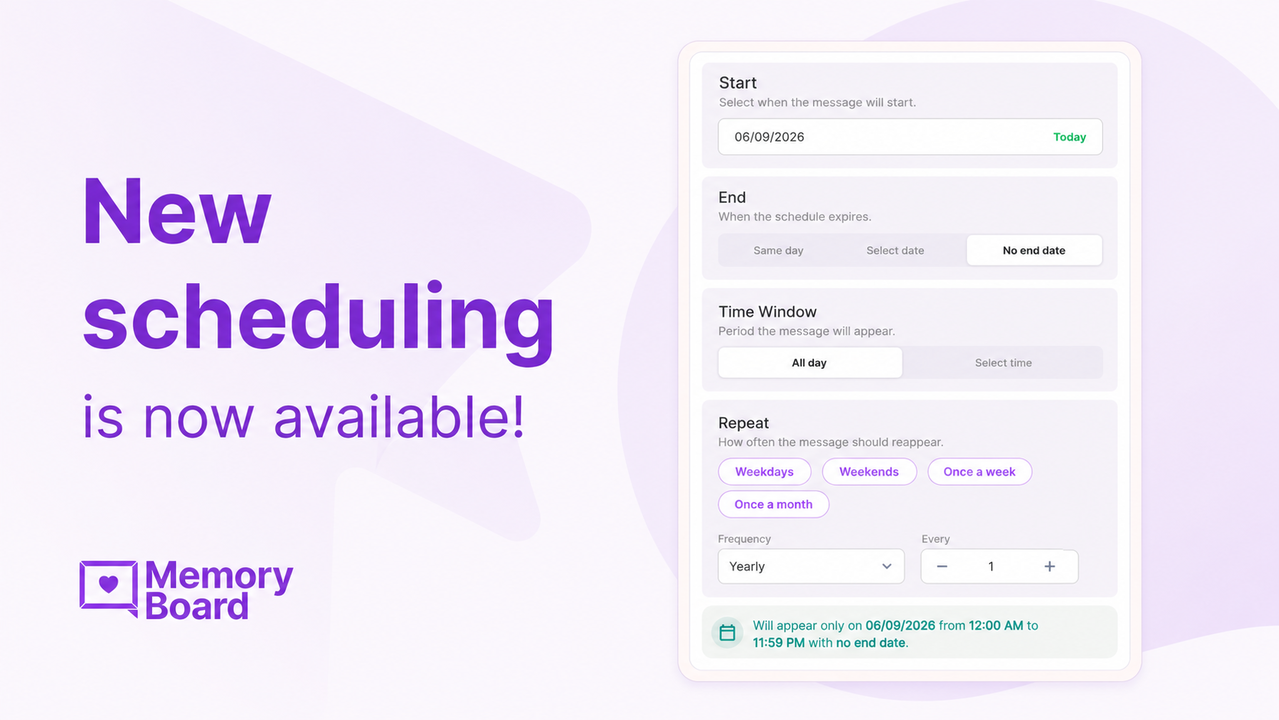
More flexible repeating messages
Many families use Memoryboard for daily routines and recurring reminders.
For example, you may want a message to appear every weekday morning, once a week before an appointment, once a month for a recurring task, or every year for a special date.
The new scheduling makes this easier. You can now set messages to repeat in more flexible ways, including:
Weekdays
Weekends
Once a week
Once a month
Custom schedules
This helps you set up reminders once and know they will continue showing up when needed.
Better overnight scheduling
Some reminders do not fit into one calendar day.
For example, you may want a message to appear from 11:00 PM to 7:00 AM the next morning. This can be helpful for nighttime routines, early morning reminders, or overnight care needs.
The new scheduling experience now handles overnight time windows more clearly. When a message crosses into the next day, Memoryboard helps show that in a way that is easier to understand before you save it.
11:00 PM
Start
7:00 AM
Next morning
Clearer start and end options
Start and end dates are now easier to manage. You can choose whether a message:
Same day
Appears and expires on the same calendar day
Ends on a date
Set a specific end date for the reminder
No end date
Continues repeating with no expiration
This helps avoid confusion around whether a reminder will stop, continue, or appear only once.
For caregivers, this is especially helpful when setting up ongoing routines. You can create a reminder for a loved one and feel more confident that it will show up when you expect it to.
Easier to Understand
The new scheduling interface uses plain language, clear labels, and a simple layout — so setting up a schedule feels straightforward, even if you've never done it before.
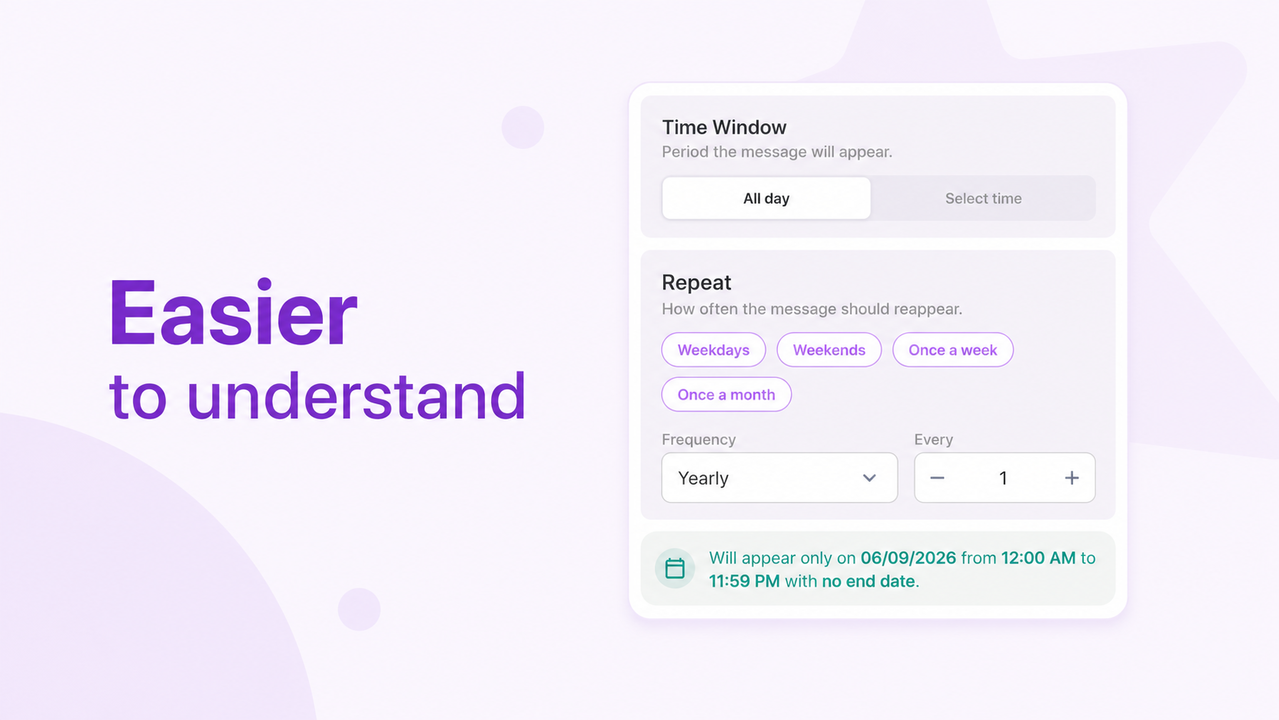
Know before you post
One of the most helpful updates is the new schedule preview.
Before saving a message, Memoryboard will show a simple summary of when the message will appear.
For example, you may see that a message will appear only on a certain date, during a certain time window, or continue with no end date.
This gives you a chance to review the schedule before it goes live on the board.
Why this matters for families
Caregiving often involves many small reminders throughout the day. A loved one may need help remembering:
What time an appointment is
When someone is visiting
What day it is
What the plan is for the afternoon
When to eat, rest, or get ready
That someone is thinking of them
When scheduling is easier to use, families can spend less time managing reminders and more time staying connected.
The new scheduling experience was designed to make Memoryboard feel more dependable for caregivers and easier for loved ones to follow.
We'd love your feedback
This update was shaped by feedback from families using Memoryboard every day. As you try the new scheduling experience, we would love to hear what feels easier, what works well, and what else would help you care for your loved one. Your feedback helps us keep making Memoryboard better for caregivers, families, and the people they love.
Try the new scheduling experience today!
Open Memoryboard


